Binning is an essential process in reflectivity reduction within QuickNXS, organizing raw data into manageable intervals for accurate analysis.
Several binning options are available at various steps of the data reduction process.
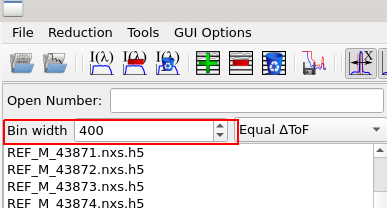
An initial time-of-flight binning options is available to process the raw data, which is later converted into Q bins.
A final Q rebinning is optionally available for user who want their reflectivity output in specific Q binning.
This guide explains the available binning options
in QuickNXS and how to configure them for the best results.
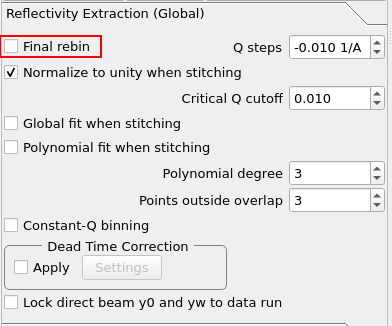
What It Does: Controls whether the final reduced workspace (converted to Q-space) undergoes additional rebinning.
How It Works:
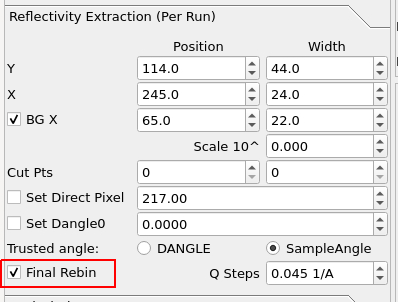
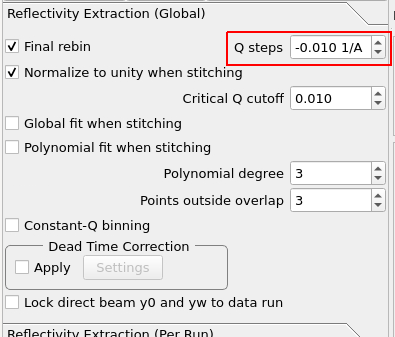
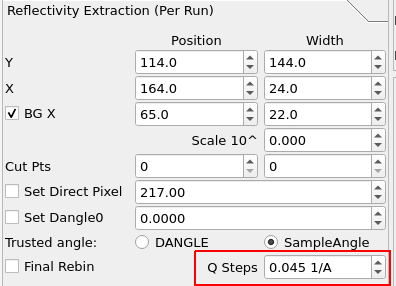
When enabled, rebinning is performed using Q Steps, in units of 1/Å, as the bin width.
This option is only available if Constant-Q Binning is disabled.
If Constant-Q Binning is enabled, it takes priority over Final Rebin.
If Final Rebin is enabled per-run, the Q Steps values can be viewed and updated in the reduction data table under the Q-Steps column. If it is enabled globally, it takes priority over any per-run Q Steps values.
How to Use It: Check this box if you want to apply final rebinning.
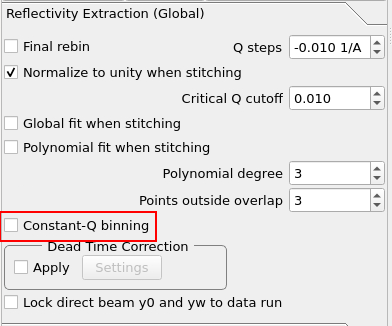
What It Does: uses the position of each pixel and the specified TOF binning to sum counts directly in Q bins. This differs from the traditional reflectivity calculation, which assumes that all counts in a TOF bin has the same Q value regardless of where they landed on the detector.
How It Works:
When enabled, Final Rebin is not performed.
Enabling Constant-Q binning changes the way R(q) is calculated.
Q Steps is used to determine binning:
If positive, bins are evenly spaced.
If negative, bins are spaced logarithmically using a geometric progression.
This setting is global and cannot be adjusted per-run.
How to Use It: Check this box if you want to maintain constant-Q binning. Ensure Q Steps is set appropriately for either linear or logarithmic binning.