Peak Finder
The Peak Finder section of the GUI allows you to configure the behavior of the peak finder algorithm. It is comprised of two main UI elements: toolbar buttons, and a Peak Finder settings panel. See the image below for reference.
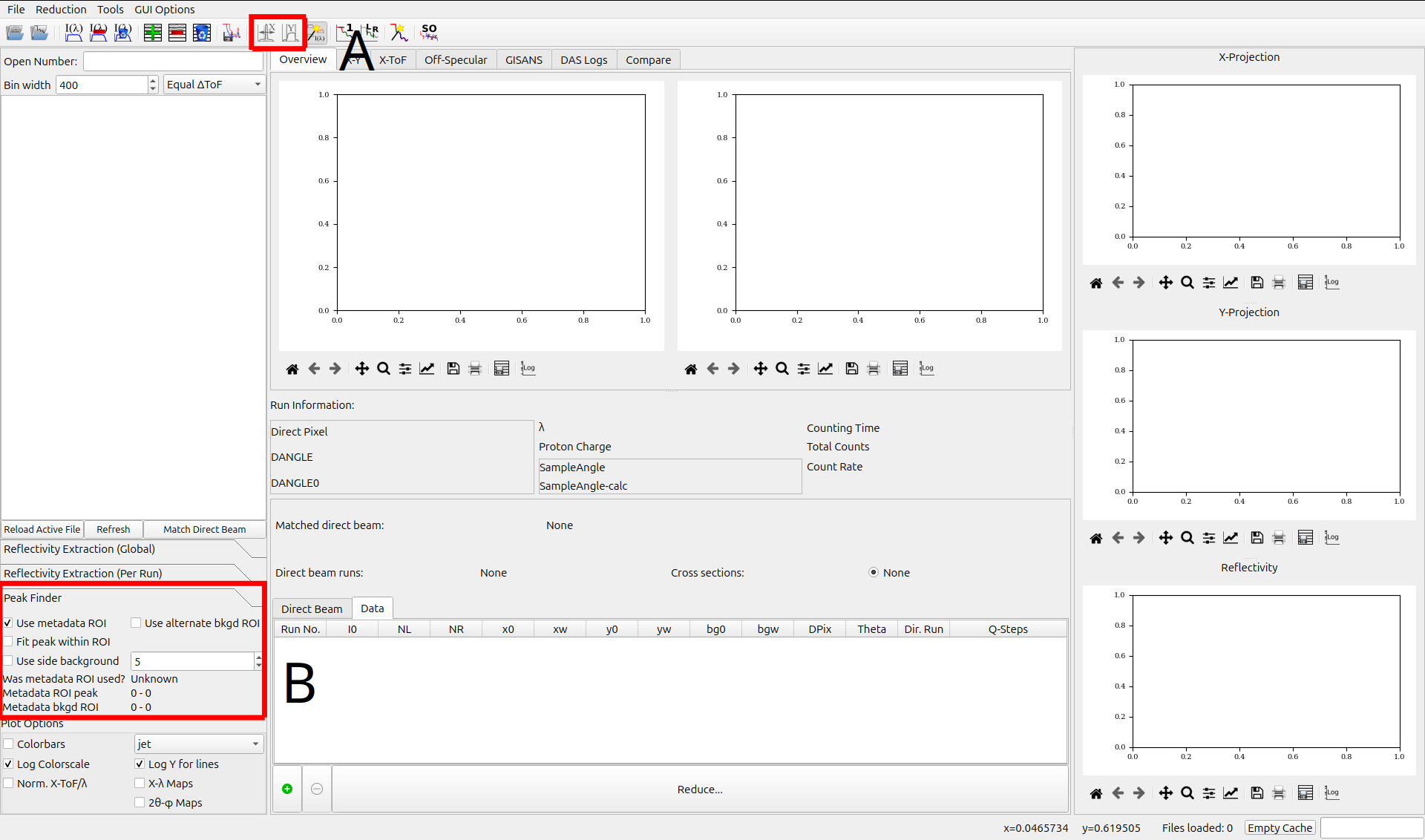
- A: Toolbar
Automatic Peak Finder (X-Axis): This setting will automatically search for peaks in reflectivity along the X-axis.
Automatic Y-Limits: This setting will automatically search for the Y-axis bounds of the beam width.
Note that these settings are disabled if the Use metadata ROI option is selected.
- B: Peak Finder Panel
- Use metadata ROI: Attempt to use the ROI specified within the data file’s metadata.
If the metadata ROI is absent or invalid, QuickNXS will attempt to automatically determine the ROI.
Note: This option disables the automatic peak finder options.
Use alternate bkgd ROI: Use the 2nd ROI in the data file for your background, otherwise a default region will be used.
Fit peak within ROI: Find the peak within the ROI and redefine the ROI afterwards.
- Use side background: Use the region on either side of the peak to estimate the background.
This option is a number which specifies the width of the side background region.
The panel also contains some information about the ROI metadata from the data file:
Was metadata ROI used?: This will be set to true if the metadata ROI was used.
Metadata ROI peak: The peak of the metadata ROI.
Metadata bkgd ROI: The background of the metadata ROI.