Automatic Beam Matching
QuickNXS can automatically match direct beams to loaded runs. For this to work, the direct beam candidates must already be loaded. The algorithm selects a best match based on wavelength \(\lambda\) and the three horizontal slit widths.
Firstly, wavelengths between direct beam and reflectometry run are checked if they match to within a tolerance (default 0.05 nm). If the wavelengths match, then a parameter distance is computed with the three horizontal slit widths:
where \(d\) is the distance, \(a_i\) represents the \(i\) th slit width of the scattered run, and \(b_i\) is the \(i\) th slit width of the direct beam run.
The match is made with the direct beam run with the lowest parameter distance that also matches the wavelength within tolerance.
A: Automatically match direct beams
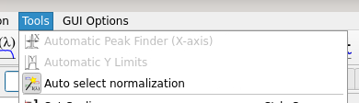
Under Tools. When this setting is enabled, on load of a data run, it will be automatically checked against all loaded direct beam runs to find the best match.
B: Match Direct Beam button
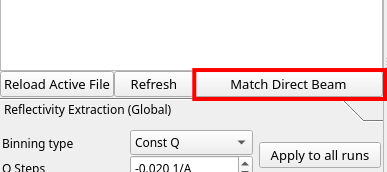
Located on the left side underneath the list of possible run numbers.
In case a match is not automatically found, or a new direct beam is loaded after a run, pressing this button will re-match the active (plotted) run with the best direct beam.